Planning for Success
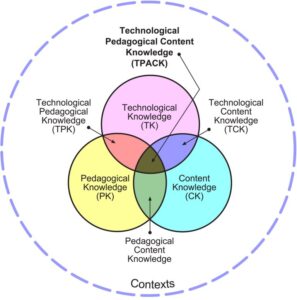
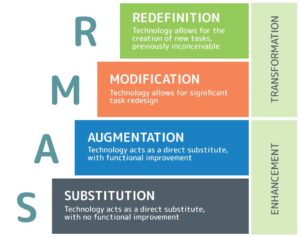
As we design lessons for our students, we carefully consider the what, why and how of learning! The SAMR and TPAK models are core reference tools.
Differentiated Learning
Microsoft Teams
- providing varied resources (videos, documents, extension tasks. worked examples) targeted at different skill levels.
- allowing students to work at their own pace, and revisit resources as needed.
Learning Accelerators
Reading Coach is a free, standalone learning accelerator that builds reading fluency through personalised reading practice to engage learners of all abilities. As students read aloud, it offers real-time feedback on pronunciation, syllabification accuracy, and reading progress. Independent practice allows learners to focus on building skills at their own pace.
More options for demonstrating and sharing learning
Video
The use of video as an assessment tool enables students to creatively share their learning. The ‘Flip’ video app within teams enables students to record a verbal response if a written response is challenging for them. ClipChamp is another popular video editing tool. Click on the image to view a work sample created by a Year 5 student as part of a HSIE unit
Students in Year 4 are using Canva to persuade us to read Dear Broccoli.
Audio
The ‘Sound Recorder’ app on a windows device, or an audio app such as ‘Audacity’ provides students with an opportunity to create an audio file in response to a task.

Download Link: https://www.audacityteam.org/download/
Sway
Sway is a web-based digital story-telling app that allows students to create interactive reports, presentations, newsletters and more. It enables students to assemble text, images, videos and other content in a web page format.
Student Sample: https://sway.cloud.microsoft/8r6nMvlrOC7pIFLy
Teachers use Sway to develop learning packages that guide students through learning and promote self-regulation in learning
Lesson Example: https://sway.cloud.microsoft/0jDSJ5DmUKQELj1P?ref=Link&loc=mysways
Book Creator
Book Creator is a digital portfolio tool that enables students to create online books. Click on the image to see a recipe book created by Year 4, encouraging people to use left over food and reduce food waste. Learn more about Book Creator at https://bookcreator.com/

Scratch
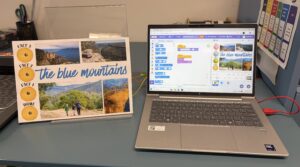
Scratch uses block-based coding – instead of typing complex syntax, users drag and drop colourful “coding blocks” that snap together like Lego bricks. This eliminates syntax errors and helps beginners focus on logic.
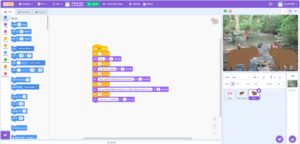
https://scratch.mit.edu/projects/1245793869
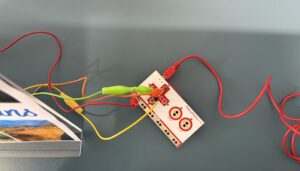
Year 5 and Year 6 are using Scratch + Makey Makey + Canva to create an interactive poster. This is a fun and creative option for sharing their Geography research.
Quick access to apps that support ‘visible thinking’
Padlet
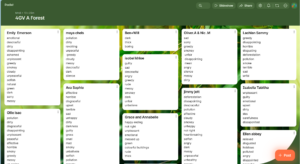
An excellent tool for collaboration and sharing of ideas. As a class Year 4 read two books.
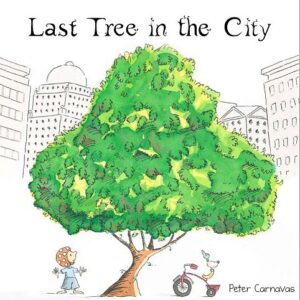
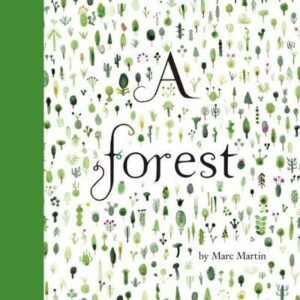
After reading each book students were asked to list words that they felt represented the story.
We then compared the lists. One book (Last Tree in the City) left us feeling hopeful and positive. The other (The Forest) left us concerned and worried. This demonstrated the two options we have for raising awareness about an issue and advocating for change – we can present a positive message or build fear through a negative narrative. A great example of cross curriculum learning.
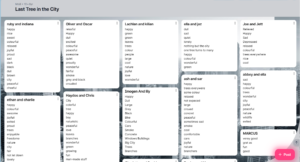
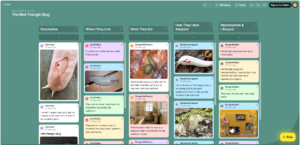
Authentic collaboration using break out rooms in Padlet
Minecraft
The opportunities for the use of this tool in education are endless. Resources for parents and families can be found here https://education.minecraft.net/en-us/get-started/parents
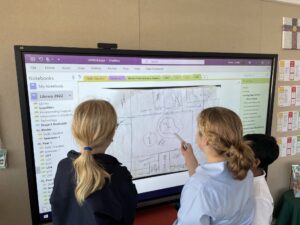
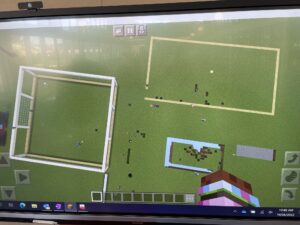
Students take time to collaborate, plan and create. This task involved designing and building a detention centre for immigrants that would offer a welcoming environment, especially for children.
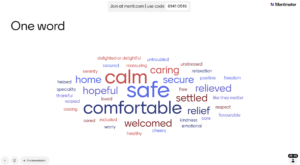
The online collaboration tool ‘Mentimeter’ was used to create a word cloud. Students were asked to submit a word that described how they hoped the detention centre created would make immigrants feel. The more a word was entered, the larger it grew. A nice way to capture thinking.
Going further…
Learn more about visible thinking and thinking dispositions here: PZ Thinking Routines | Project Zero
Explore a range of lessons on https://mrsbarkerstearoom.com including this digital post-it note task for HSIE. https://mrsbarkerstearoom.com/?p=2464
If you would like to explore digital technologies further you might like to visit ‘The Digital Technology Hub’ https://www.digitaltechnologieshub.edu.au/for-families/
Image Reference
SAMR: Incorporate Technologies in Class Using the SAMR Model
TPAK: TPACK Model